Use 3dsky, Evermotion & CGTrader Assets in Cinema 4D
90 % of archviz models on the big marketplaces ship as .max with Corona or V-Ray materials. Here's how to use them in Cinema 4D without losing every shader on import.
Yes — every major .max marketplace works in Cinema 4D via MAX2C4D.
Corona materials, V-Ray materials, ForestPack scatter, IES lights, Multi/Sub-Object assignments — all transferred node-by-node. Benchmark on a real Evermotion-style scene: 772 objects, 197 materials, 4 minutes.
The Asset Library Problem for Cinema 4D Users
The world's biggest archviz libraries are .max-first.
The largest 3D asset libraries for architectural visualization are built around 3ds Max. That's where the archviz industry lives, and that's what the asset publishers target. Cinema 4D-native versions are rare, outdated, or nonexistent.
At a glance, what the archviz industry actually publishes:
- ·3dsky — over 500,000 models. The largest single source of archviz assets. Primary format:
.max+ Corona. - ·Evermotion — Archinteriors, Archmodels, Archexteriors. Hundreds of objects per pack, .max + Corona/V-Ray.
- ·CGTrader — millions of models. The highest-quality archviz models are overwhelmingly .max.
- ·Dimensiva — curated furniture from real manufacturers. Production-ready .max with Corona.
- ·Chaos Cosmos — integrated into Corona/V-Ray. Thousands of assets with renderer-native materials.
If you work in Cinema 4D, you're effectively locked out of the largest pool of production-ready archviz assets in the industry — unless you have a converter that actually understands Corona, V-Ray and Redshift graphs. For an exhaustive list of converters, exporters and asset bridges, see all 3ds Max → C4D tools (2026). Per-marketplace details below in the marketplace guide.
What Happens When You FBX-Export a Purchased Asset
Avoid for archvizBuy a $30 asset. Lose every material in 3 minutes.
You buy a sofa from 3dsky for $15. It comes as a .max file with 12 CoronaPhysicalMtl materials — carefully tuned for fabric weave, brushed metal legs, polished wood accents. Nested CoronaBitmap chains feeding color correction nodes. Multi/Sub-Object assignments splitting cushion fabric from frame leather from metal hardware. You open in 3ds Max, export as FBX, import in Cinema 4D.
What you get
- ·Mesh geometry
- ·Object hierarchy
- ·Smoothing groups
What you lose
- ×All 12 Corona materials
- ×Texture paths (broken)
- ×Multi/Sub-Object (flattened)
- ×Roughness / metalness values
- ×Node graphs (CoronaBitmap chains)
- ×Polygon group assignments
The result: a gray, untextured mesh. The $15 asset is now useless without 2-3 hours of manual material recreation — finding the original textures, rebuilding each shader from scratch, guessing at roughness values, reassigning materials to the correct polygon groups.
A living room scene uses 30-50 individual assets. At 2-3 hours per asset for material recreation, that's 60-150 hours of tedious manual work — or you simply give up and don't use the asset at all. This is a pipeline-breaking cost. It makes entire asset libraries economically unusable.
Side-by-side breakdown: MAX2C4D vs FBX comparison. If you've been considering rebuilding by hand instead, see the manual rebuild approach and why it doesn't scale.
How to Use 3dsky and Evermotion Assets in Cinema 4D
RecommendedDrop .max → 43 seconds → render-ready in C4D.
The 5-step workflow
- 1
Download the .max file
Buy and download from 3dsky, Evermotion, CGTrader, Dimensiva or Chaos Cosmos. Keep the .max and its texture folder as-is.
- 2
Select .max from Cinema 4D
Use MAX2C4D’s file browser directly inside Cinema 4D — no need to open 3ds Max yourself.
- 3
Headless conversion
The plugin decodes the .max itself, inside Cinema 4D, and rebuilds the scene there. Handy for a library file that only ever ships as a .max.
- 4
Materials arrive intact
CoronaPhysicalMtl, VRayMtl, texture maps, node graphs, Multi/Sub-Object — every shader is rebuilt as a native C4D material.
- 5
Place and render
Drop the converted asset into your scene. No material rebuilding, no texture relinking, no guessing at shader values. Hit render.
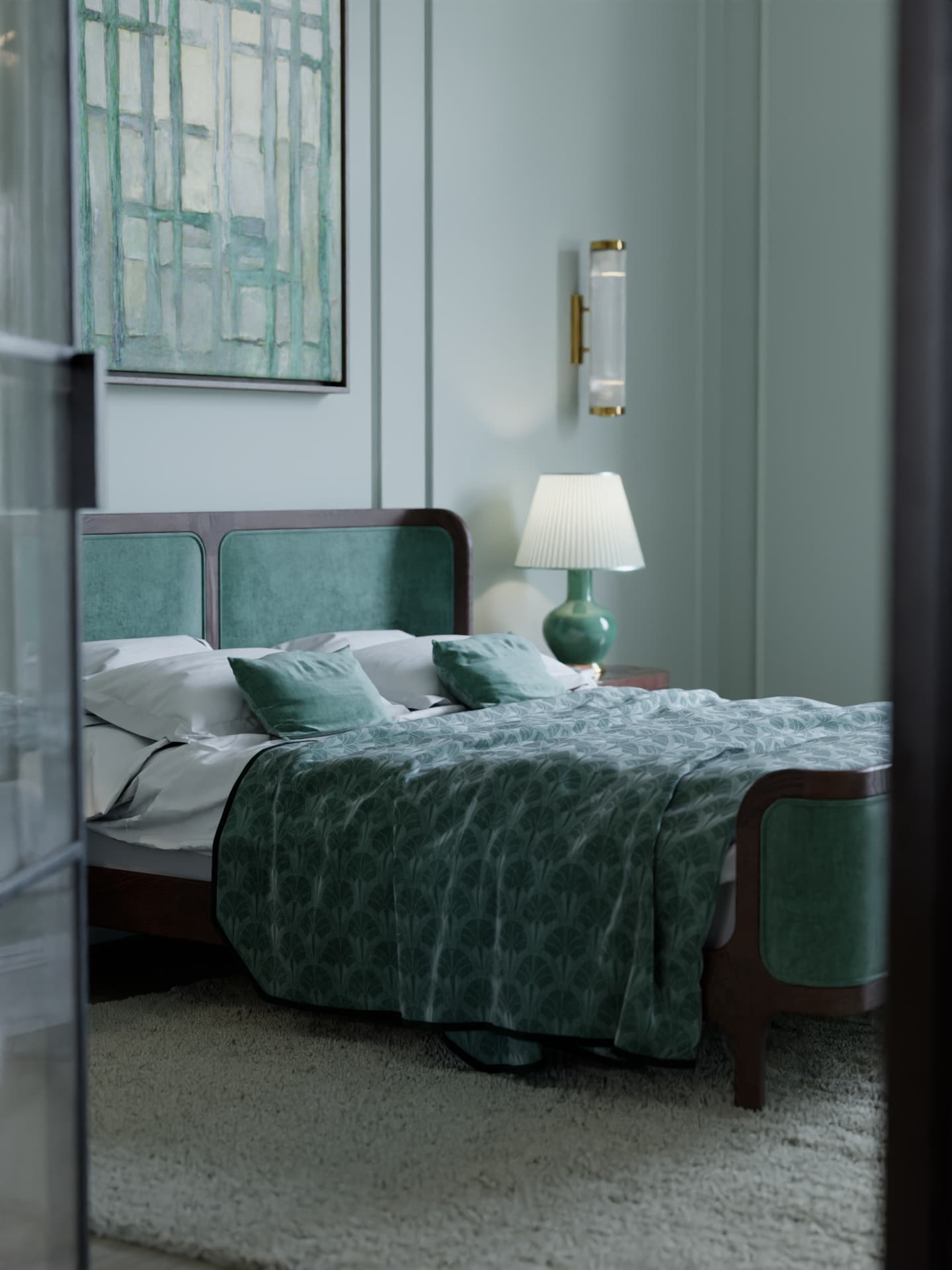
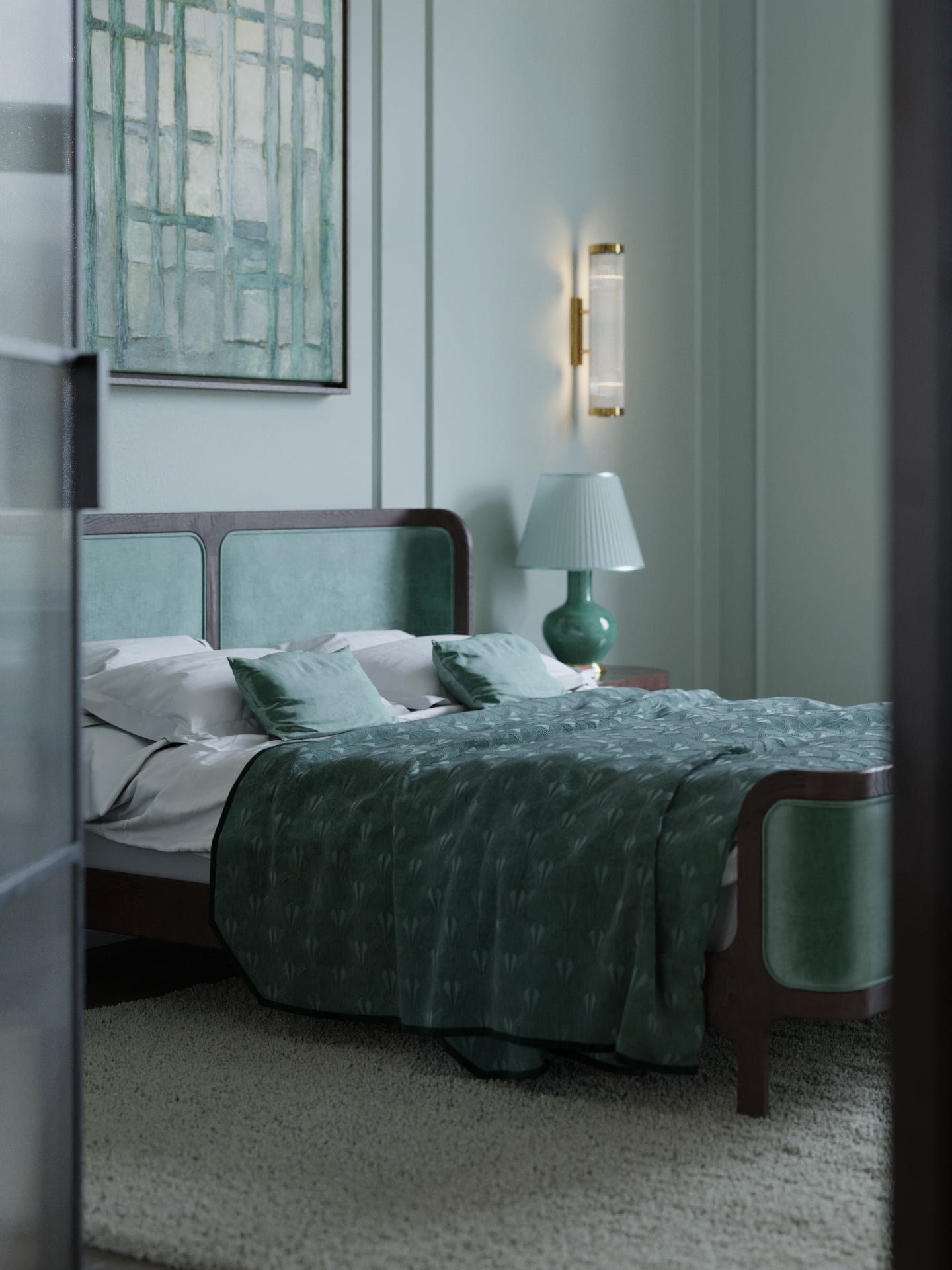
Drag the slider — same scene, side by side
Batch Convert an Entire Asset Library
100 .max files → render-ready overnight, unattended.
If you've accumulated a library over the years — furniture collections, material libraries, entire Evermotion packs — converting one at a time is impractical. The batch exporter scans your folders, processes everything in sequence, and writes the results to your output directory.
- ·Multi-folder source — convert assets from different collections in one pass.
- ·Filename filtering — convert only files matching specific patterns (all sofas, all tables).
- ·Headless execution — 3ds Max runs in the background. Keep working in C4D while batch processes.
- ·Real-time progress — track which file is converting, how many remain, ETA.
- ·Batch reports — summary of what succeeded, what failed, why.
An entire Evermotion Archmodels pack — 100+ individual .max files with Corona materials — converts in a single overnight batch run. Wake up to a C4D-ready library.
Deep dive on the batch exporter · pipeline patterns in the studio migration playbook.
“Migrated about 40 project files over a weekend. Batched them, opened a few to spot-check, kept moving. Nothing dramatic — it just worked.”
Real Example: Art Deco Apartment
A complete archviz scene — an Art Deco apartment originally purchased from an asset marketplace. Created in 3ds Max with Corona, includes dozens of individual purchased assets : designer furniture, light fixtures, bathroom fittings, kitchen appliances, decorative objects.
MAX2C4D converted the entire scene in under 4 minutes. Every material intact. Every texture linked. Every light positioned and configured. The C4D render matched the 3ds Max original without any manual adjustments. ForestPack scatter objects converted to Chaos Scatter with density and slope limits preserved.
Full case study with side-by-side renders, conversion stats and material breakdowns: 847-object Art Deco benchmark.
Marketplace-by-Marketplace Guide
MAX2C4D supports Corona, V-Ray and Redshift materials — which covers the vast majority of archviz asset libraries. What to expect from each platform :
3dsky
Mostly Corona, some V-Ray · 500,000+ models
Single-asset .max files convert in seconds. Largest source of archviz models, fully accessible from Cinema 4D.
Evermotion
Corona + V-Ray · Archinteriors, Archmodels, Archexteriors
Full scene packs convert with materials, lights and cameras intact. Use the batch exporter for entire collections.
CGTrader
Corona + V-Ray · varies by seller · millions of models
Corona / V-Ray .max models convert perfectly. Check the listing renderer tag before purchasing.
Dimensiva
Primarily Corona · curated furniture from real manufacturers
Clean material setups, excellent conversion quality. Best-in-class for production-ready furniture.
Chaos Cosmos
Corona + V-Ray · direct renderer integration
Cosmos assets use the same material types MAX2C4D converts — works out of the box.
Explore the rest of MAX2C4D
Features
Every supported material, shader and renderer setting.
How it works
Step-by-step walkthrough of a real conversion.
vs FBX
Side-by-side breakdown of what FBX destroys.
vs Manual rebuild
Why one-by-one rebuilding never scales.
Showcase
Real archviz scenes converted by studios.
What transfers
The full compatibility matrix, class by class.
Batch exporter
Convert 100+ .max assets overnight, unattended.
Pricing
1-year license. All updates included. Money-back guarantee.
Related Guides
How to Open .max Files in Cinema 4D
Step-by-step guide to opening .max files directly inside Cinema 4D.
Convert 3ds Max Scenes to Cinema 4D
Full conversion guide — geometry, materials, lights, cameras, render settings.
Corona Materials in Cinema 4D
How every Corona material type and shader node transfers from 3ds Max.
V-Ray 3ds Max to Cinema 4D
Converting V-Ray materials, lights and ~130 render parameters cleanly.
Studio Migration Playbook
Rolling Max → C4D across an archviz studio without dropping deadlines.
Forest Pack to Chaos Scatter
How scatter density, slope limits and clusters map to Chaos Scatter.
Frequently Asked Questions
Unlock every archviz library for Cinema 4D.
3dsky, Evermotion, CGTrader, Dimensiva, Chaos Cosmos — all in C4D, materials intact.